
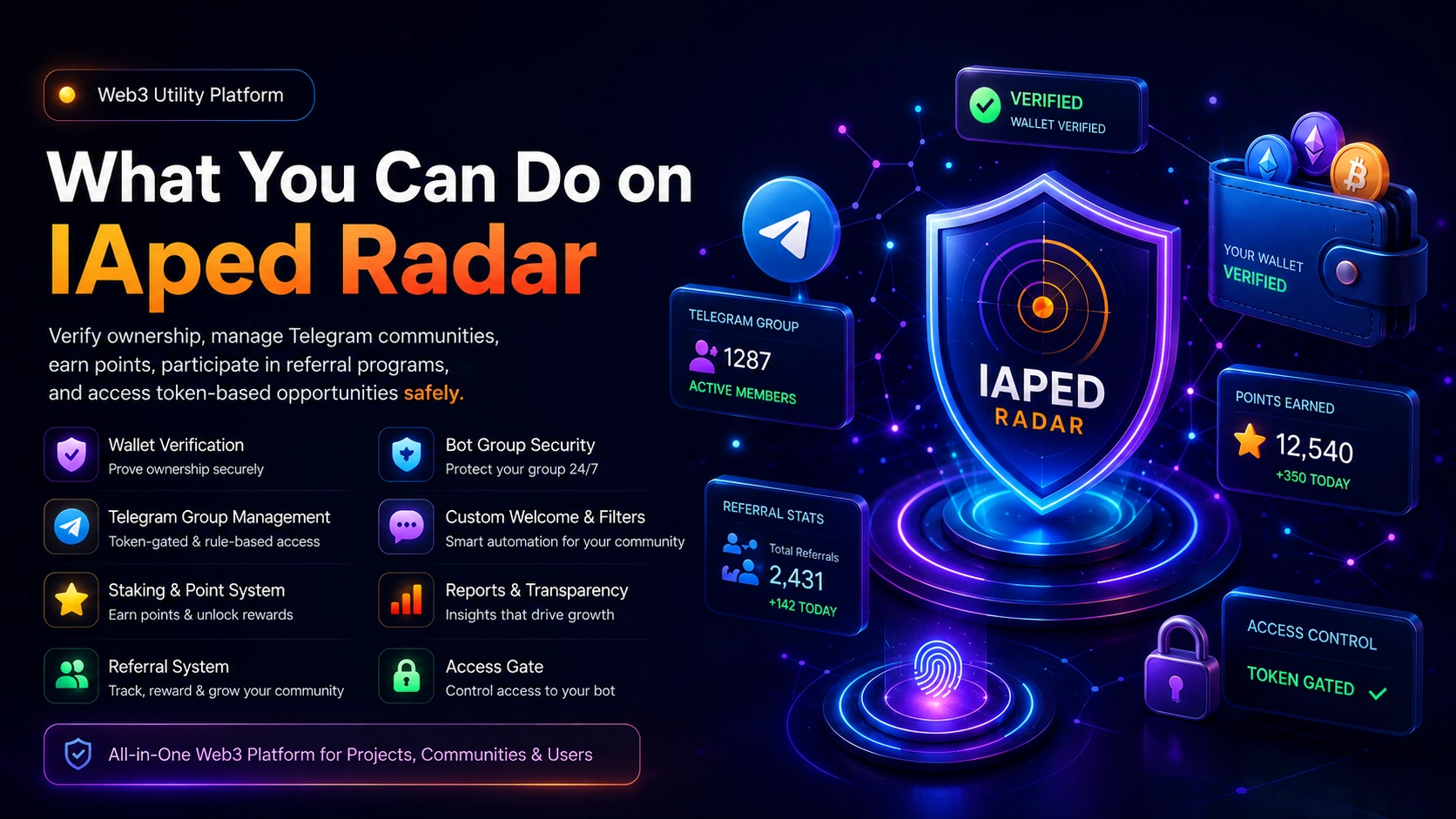
IAped Radar is a Web3 utility platform built to help projects, communities, investors, and everyday users verify ownership, manage Telegram communities, earn points, participate in referral programs, and access token-based opportunities safely.
Unlike many traditional Web3 platforms that focus only on wallet connection or token holding, IAped Radar connects wallet verification, Telegram community access, staking/points, referral tracking, and group protection into one system.
1. Wallet Verification
Wallet Verification allows users to prove that they own a wallet without exposing private keys or handing over control of funds.
With wallet verification, users can:
- Connect or verify wallet ownership securely without any third party website/tool interacting with their wallets.
- Prove token holding.
- Qualify for private Telegram groups.
- Unlock token-gated campaigns.
- Become eligible for rewards, staking points, or community access.
IAped Radar does not ask users for seed phrase, private key, direct wallet connection/password.
Why It Is Different from Traditional Web3
Many Web3 platforms only get wallet ownership verification done via direct interaction with users’ wallets and check if a wallet is connected at that moment. IAped Radar goes further by employing manual-related verification methods and connecting wallet verification with Telegram identity, reward eligibility, and group access without users being exposed than neccessary.
This makes it useful for real communities where people need to be verified beyond just clicking “connect wallet.”
Who It Is Useful For
- Token holders
- Web3 investors
- Community members
- Project owners
- Crypto newbies
- Airdrop participants
- DAO members
- Private group members
How to Use IAped Radar Wallet Verification
Create or login to your IAped Radar account.
Open the wallet verification section, fill the form fields and click the “Generate Request” button.
The system will load and then display the amount of “IAPED Token” that you will send alongside the wallet that you'll send it to called “Treasury Wallet Address”(every displayed figure matters e.g 10.1234).
Fill the “Transaction Hash” field(with that transaction hash of the Token you sent above) and then click the Verify Wallet button.
If successful, you've verified the ownership of that wallet and the system will automatically link that wallet to your profile.
This process can be completed within two minutes. Once verified, your wallet can be used for eligibility checks, group access, rewards, and campaign participation.
A linked wallet can be used for multiple campaigns of multiple projects within the same Chain provided the required Tokens/Assets are in the same verified wallet.
To easily access the full services of IAped Radar, you need to connect your IAped Website profile to IAped Radar Telegram Bot.
How To Link Your IAped Radar Website Profile On IAped Radar Telegram Bot
- Click here to get to the Telegram area of your profile
- Scroll a bit down to Telegram Profile Linking and click Generate Link Code
- Copy that code and and click the Open Telegram Bot button below it. In the Bot in Telegram, click the start button if that's your first time visiting the bot.
- Send the below command as a message in the telegram bot:
/link Your_Code
For example:
/link 12345 where 12345 is the code you generated from IAped Radar website above.
Just send that command as a message in the Bot.
If everything goes fine, you should receive a profile successfully linked message. Everything can happen in less than a minute.
2. Telegram Group Management
IAped Radar allows projects to manage Telegram groups based on user eligibility, wallet status, token holding, points, or group owner's defined rules.
Group owners can create controlled Telegram communities where only qualified users can enter.
With Telegram Group Management, projects can:
- Create token-gated groups.
- Set access requirements.
- Automatically approve qualified members.
- Manage access based on wallet/token status.
- Revoke or restore access.
- View owner-side basic reports with users anonymity to the group/project's owner maintained(as wallets or Telegram username will be the major identifiers revealed to project/campaign owners at the maximum).
- Connect group access to project campaigns.
Who It Is Useful For
- Web3 project owners
- DAO admins
- Token communities
- Alpha groups
- Staking communities
- Private investment groups
- Community managers
How to Set Up Token, Points Or Other Rules Gated Telegram Group On IAped Radar
The first thing to do is to create your Telegram group, add IAped Radar Telegram Bot(@iapedradar_bot) there and give it full admin rights.
Once done, send /id as message in that group for IAped Radar Bot to get your Telegram Group ID for you as you will need it in the next step
Visit the Telegram Group Management Setup page here and fill the form appropriately. Once successfully submitted, the service will mostly be activated immediately and that’s all. Click the Group Manager button to see your Group Campaign status and details.
You can edit, pause, or use other status for your running group campaign. Please note that support can also assist to set this up for you. You can reach us here to request.
This process will normally not take more than 3 minutes provided you have a profile on IAped Radar website before.
How To Join A Token, Points Or Other Rules Gated Telegram Group Managed By Or Created On IAped Radar
To join an active restricted Telegram group managed by IAped Radar Bot, you must have created an account and verified a wallet that satisfies the requirements of the desired group.
If you are a new person to IAped Radar Ecosystem, please visit here(hancor to verify wallet) and then (how to link profile to Bot).
Once you already have your profile linked to IAped Radar Bot, follow the steps below:
- Send /start as message in the IAped Radar Bot
- Click the Groups button and you will see the list of groups that you are eligible to join
- Click Show Eligible Groups button, and you will see all the groups as buttons.
- Click any of the groups that you want to join to generate or regenerate your unique link. Click the link to join the group.
This will not take more than 20 seconds for users with already linked profiles.
3. Staking and Point System
IAped Radar includes a point and reward system that allows users to earn value through verified activities.
Users can earn points from:
- Token holding or Staking-related activities
- Telegram activity
- Referral participation
- Campaign completion
- Community joining
- Project-defined actions
- Points can be pending, confirmed, issued, locked, or available depending on the campaign or project rules. There are also different kinds of points and conversion availability and ration depending on project rules etc.
Why It's A Safer Form Of Traditional Web3 Staking
Traditional staking usually requires users to lock tokens in a smart contract. IAped Radar expands the idea by allowing token holders to hold on to their Tokens while IAped Radar systems do that hard parts of constantly tracking holders' wallets and implementing campaign owner’s rule on real holders and jeeters thereby eliminating the possible risks associated with the lock up system for the project's community members.
IAped Radar’s Staking system allows projects to reward users and holders for broader verified participation, not only token lockup.
This makes it more flexible for early projects that want to reward activity, loyalty, holding, referrals, and community growth.
Who It Is Useful For
- Token holders
- Early community members
- Project supporters
- Referral promoters
- Web3 campaign participants
- Projects running loyalty rewards
- Reward to an event participants
How to Use the Point System
Create an IAped Radar account.
Verify your wallet.
Link your Telegram account(if rule is on token holding, system will add you up automatically at this stage).
Join eligible activities or communities.
Complete project-defined tasks.
Track your points from the dashboard.
Wait for pending points to become confirmed or issued based on the project rules.
How to Create IAped Radar Point System
As a project/event owner you can set up you IAped Radar Point campaign by yourself here or reach out to support here.
Please note that as a referral campaign owner, you will need to copy your referral program code from here and provide same to your community members who want to participate in your campaign. You can also get your referral campaign listed under the Discovery section of IAped Radar Telegram Bot for our Bot users to see and join. Users can use the Discovery button in the Bot to see the projects they can join.
4. Telegram Referral System
IAped Radar allows projects to run Telegram-powered referral programs.
Users can generate personal referral links through the bot or website, share those links, and earn points when referred users complete the required actions.
The referral system supports:
- Website users
- Telegram-only users
- Users with both website and Telegram profiles linked
- Program-specific referral codes
- Click tracking
- Join tracking
- Confirmed referral tracking
- Reward tracking
- Admin and owner reports
With the IAped Radar Referral System, someone can participate first from Telegram, generate a referral link then carry on with the referral activities or events, and later link a website profile without losing referral history or data.
Who It Is Useful For
- Community growth teams
- Web3 projects
- Influencers
- Telegram community builders
- Airdrop campaigns
- Affiliate promoters
- Token launch communities
How Users Generate a Referral Link
Open IAped Radar Bot on Telegram.
Send /start.
Enter: /program CODE
The bot generates your personal referral link.
Share your referral link.
Track your clicks, joins, confirmed referrals, and pending points on the bot.
How to View Your Referral Stats
Open IAped Radar Bot.
Send:
/myrefs
The bot shows your referral programs, links, clicks, joins, confirmed referrals, and pending points.
You can also view detailed referral data here from your website dashboard when your Telegram profile is linked. Use the “Report” button for detailed report on each of your referral links.
5. Telegram Bot Group Security
IAped Radar Bot does more than referral and access control. It also helps keep managed Telegram groups safe, even when admins are asleep.
The bot can help with:
- Blocking unwanted links
- Blocking wallet or contract address spam
- Blocking forwarded messages
- Blocking media spam
- Anti-flood protection
- Auto-deleting Telegram service messages
- Warning users
- Muting users after repeated violations
- Banning or kicking users if configured
- Deleting messages in bulk
- Managing welcome messages
- Adding graphic welcome messages
- Creating filters and auto-replies
- Moderating users by reply or username
Who IAped Radar Bot Is Useful For
- Telegram group admins
- Crypto community managers
- Web3 project teams
- DAO moderators
- Meme coin communities
- Token launch groups
- Private alpha communities
Basic IAped Radar Telegram Bot Group Security Commands
Only group admins can use these commands.
To view guard settings:
/guard
To block links:
/guard links on
To allow links again:
/guard links off
To block wallet or contract address spam:
/guard wallets on
To block forwarded messages:
/guard forwards on
To block media:
/guard media on
To set warning limit:
/guard warnings 3
To set action after repeated warnings:
/guard action mute
Other supported actions may include warn, mute, kick, or ban.
Anti-Flood Setup
To enable anti-flood:
/antiflood on 5 10 mute
This means if a user sends more than 5 messages within 10 seconds, the bot can mute the user.
To disable anti-flood:
/antiflood off
Service Message Cleanup
To automatically delete join, leave, pin, and other Telegram service messages:
/serviceclean on
To disable it:
/serviceclean off
6. Welcome Messages and Graphics
Group admins can set custom welcome messages for new members.
The welcome message can include:
- Text
- User mention
- Group name
- Buttons
- Images or videos
Set a Basic Welcome Message
/setwelcome Welcome {mention} to {group}!
Available placeholders:
- {mention} clickable user mention
- {username} Telegram username
- {first_name} user first name
- {group} group title
Set Welcome Message with Image or Video
Send the image or video into the Telegram group.
Reply to that image or video with:
/setwelcome Welcome {mention} to {group}!
The bot saves the media as the welcome graphic.
Preview Welcome Message
/previewwelcome
Clear Welcome Message
/clearwelcome
Auto-delete Welcome Message
/setwelcomedelay 5
This deletes the welcome message after 5 minutes.
To disable timed deletion:
/setwelcomedelay 0
7. Filters and Auto Replies
Admins can create keyword-based auto-replies.
Example:
/filter website | Visit our website: https://iapedradar.com
To list filters:
/filters
To delete a filter:
/delfilter website
Filters can also be used for contract addresses, community links, instructions, FAQs, or project information.
For contract addresses, the bot can format addresses so users can long-press and copy them more easily.
8. Moderation Commands
Admins can moderate users by replying to a message or using a username after the bot has seen the member in the group.
Commands include:
/ban
/unban
/mute
/unmute
/kick
/del
/clearall
/pin
/unpin
Delete One Message
Reply to a message with:
/del
Clear Many Messages
Reply to the first message you want cleared and send:
/clearall
The bot will delete messages from that replied message up to the latest message, within Telegram limits.
User Flow
User opens the bot.
Bot checks if access gate is enabled.
If required, user is asked to join the community.
User taps Verify Access.
If joined, bot unlocks access.
10. Reports and Transparency
IAped Radar includes reporting tools for project owners and admins.
Referral reports can show:
- Participants
- Telegram usernames(When available)
- Website profile status
- Referral codes
- Referral links
- Clicks
- Joins
- Confirmed referrals
- Total points
- Points issued
- Last activity
To ensure the anonymity of holders and our platform users, Telegram Group Management Campaign report is not available to group campaign owners.
11. What Makes IAped Radar Different
IAped Radar is not just a wallet connection tool, not just a Telegram bot, and not just a referral system.
It combines:
- Wallet verification
- Telegram identity
- Token holding checks
- Telegram group access
- Referral tracking
- Reward points
- Admin reporting
- Group security
12. Who Should Use IAped Radar
IAped Radar is useful for:
- Web3 projects
- Token communities
- Telegram-based crypto communities
- DAOs
- Airdrop campaigns
- Staking campaigns
- Referral-driven launches
- Private investment communities
- Alpha groups
- Community managers
- Moderators
- Token holders
- Early supporters
13. Simple Getting Started Guide for Users
Visit IAped Radar.
Create an account or log in.
Verify your wallet.
Open IAped Radar Bot on Telegram.
Send /start.
Link your website profile if you have one using /link CODE.
Click the “Discovery” button to see active referral programs or use /program CODE to join referral programs.
Use /myrefs to track your referral stats.
Use /rewards to check rewards.
Join eligible Telegram groups when available.
Follow project rules to keep rewards valid.
14. Simple Getting Started Guide for Group Owners
Create an IAped Radar account.
Add your Telegram group on the dashboard.
Add IAped Radar Bot to your Telegram group.
Make the bot an admin.
Set group eligibility rules.
Configure welcome message.
Enable group protection using /guard.
Enable anti-flood using /antiflood.
Enable service cleanup using /serviceclean.
15. Simple Getting Started Guide for Referral Program Owners
Create or request a referral program set up from admin.
Get your program access code.
Share the access code with selected users or promoters.
Users generate links with /program CODE.
Track clicks, joins, confirmed referrals, and points.
Export reports when needed.
Review performance and reward qualified participants.
Final Summary
IAped Radar helps Web3 projects move beyond simple wallet connection. It gives projects a full system for verifying users, managing Telegram communities, rewarding participation, tracking referrals, securing groups, and reporting performance.
For users, it creates a simple way to prove eligibility, join communities, earn rewards, and participate in referral campaigns.
For projects, it creates a safer, smarter, and more organized way to grow and manage Web3 communities.